Import your own patterns
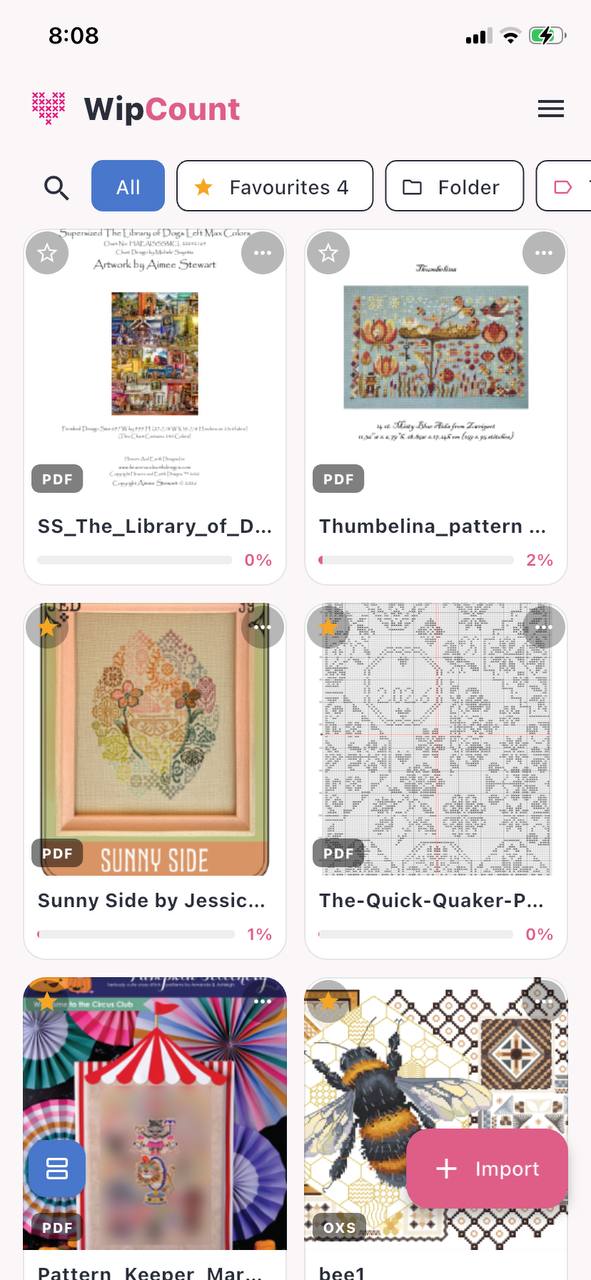
Open a chart straight from a PDF — the same files designers already sell — or from an OXS file. The grid, the symbols and the colour key all come across.
WipCount keeps your cross-stitch chart on your phone or tablet and marks off every stitch as you complete it. No printouts, no highlighters, no squinting at a paper chart to work out where you were.
One month free. No sign-up, no card, no email needed to start.
We have a private Facebook group for people who stitch with WipCount, or are waiting for it. Hear first when the app lands, ask questions, share your WIPs and tell us what you'd like it to do next.
It's a private group, so Facebook will ask Jo to let you in. Usually within a day.
Built with one rule above all others: it has to be easy to use. A few of the things it does:
Open a chart straight from a PDF — the same files designers already sell — or from an OXS file. The grid, the symbols and the colour key all come across.
Mark squares as you finish them and watch the picture fill in — each one takes its real thread colour. Made a mistake? Switch to the eraser and tap it out again — the square goes back to plain, just like your fabric does. Long-press to mark a whole block, park a thread in a corner, or ask what's left inside an area.
Your percentage complete, the total stitches done, how many you've put in today, your average and a projected finish. Set a target date and it tells you what today needs. The History page then adds up every project together — a running total, month by month, day by day. A stitching day ends at 3 am, not midnight, so a late night counts for the evening before.
Every stitch saves to your device the instant you tap. Subscribe and it backs up quietly in the background — your stitching, your charts, your settings and stash, the lot. Break your phone and it is all still there.
Three steps, and you're stitching.
Tap Import and choose the PDF or OXS file you bought from your designer. WipCount reads the chart out of it for you.
Pick the colour you're working with, then tap each square as you finish it. Everything saves as you go — there is no Save button to remember.
Close the app, come back next week, and your place is exactly where you left it — on whichever device you open.
One month free
then AUD$30 a year (about US$20 / £15, depending on the exchange rate)
Subscriptions are sold through the Google Play Store and the Apple App Store. If you're outside Australia the store converts the price for you, and shows it in your own currency before you pay.
Patterns you own, as a PDF or an OXS file. Most designers sell PDF charts, and many now include a version made specifically for stitching apps — those work best of all.
A photo or a scan of a paper chart will not work. The file has to be a proper digital chart, not a picture of one.
No. Everything works with no internet at all. Your stitching saves to your device the moment you tap. When you next have signal or wi-fi, it backs itself up quietly in the background — you don't have to do anything.
If you subscribe, nothing changes — you carry on. If you don't, the app becomes read-only: you can still open every pattern, see everything you have stitched and save a copy of your progress, but you can't mark new squares or bring in new charts until you subscribe.
Nothing is deleted and nothing is hidden. Your work stays yours.
Yes. Sign in on both and they stay in step. Every square you tap is saved on its own, with the time it happened — so if you stitch on both while they're offline, the two simply add together. A square finished on either one counts as finished, and nothing gets overwritten. They don't need to be online at the same time, or even in the same week.
Yes. Android and iPhone/iPad are both part of the first release, so you won't be waiting for one to catch up with the other.
It is, provided you have signed in and subscribed. Signing in is what ties your work to you rather than to that particular handset, and the subscription is what sends it to the cloud so we can put it back on a new device. It's one tap with a Google or Apple account — no password to invent. During the free month, export a copy now and then.
No. You can install the app and stitch for a whole month without telling us anything at all — no sign-up, no card, no email. An account comes into it when you sign in, and cloud backup starts when you subscribe.
WipCount is being built now. We'll add the store links here the day it lands on Google Play and the App Store.
Want to hear when it's ready? Send us a note and we'll let you know.